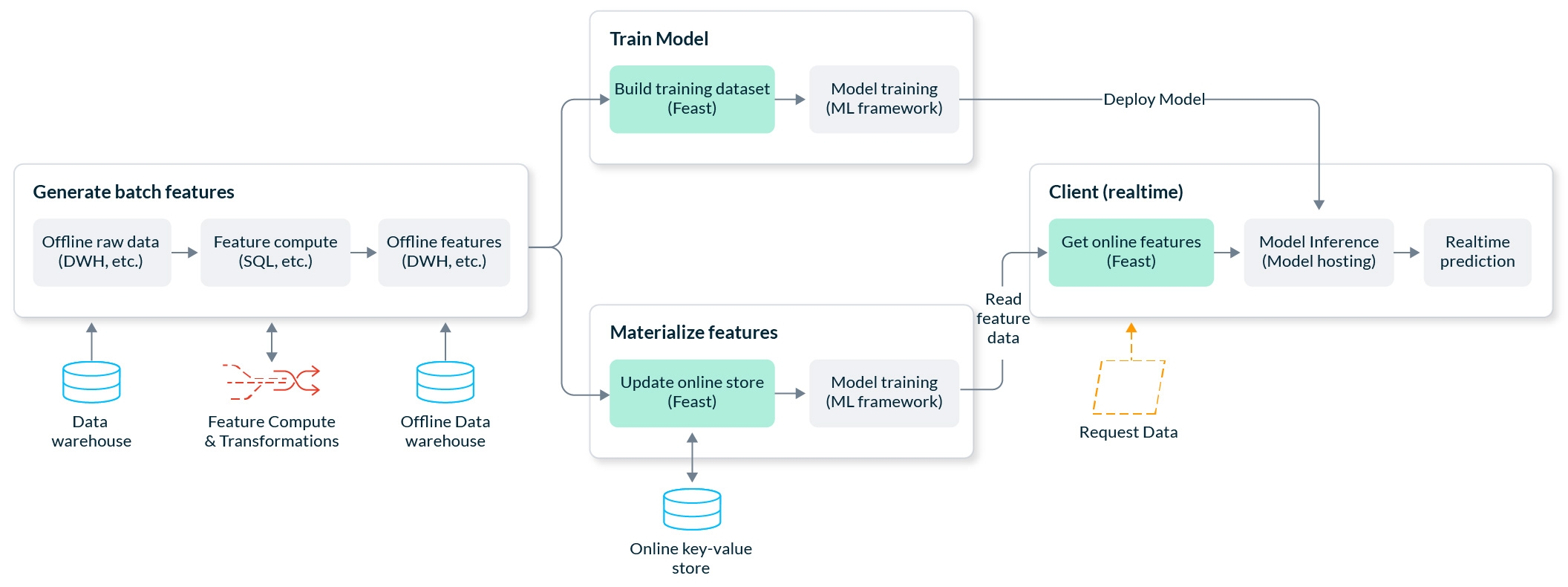
A common use case in machine learning, this tutorial is an end-to-end, production-ready fraud prediction system. It predicts in real-time whether a transaction made by a user is fraudulent.
Initial demonstration of Snowflake as an offline+online store with Feast, using the Snowflake demo template.
feature_store.yamltest.pytest.pypip install 'feast[snowflake]'feast init -t snowflake {feature_repo_name}
Snowflake Deployment URL (exclude .snowflakecomputing.com):
Snowflake User Name::
Snowflake Password::
Snowflake Role Name (Case Sensitive)::
Snowflake Warehouse Name (Case Sensitive)::
Snowflake Database Name (Case Sensitive)::
Should I upload example data to Snowflake (overwrite table)? [Y/n]: Y
cd {feature_repo_name}project: ...
registry: ...
provider: local
offline_store:
type: snowflake.offline
account: SNOWFLAKE_DEPLOYMENT_URL #drop .snowflakecomputing.com
user: USERNAME
password: PASSWORD
role: ROLE_NAME #case sensitive
warehouse: WAREHOUSE_NAME #case sensitive
database: DATABASE_NAME #case cap sensitive
batch_engine:
type: snowflake.engine
account: SNOWFLAKE_DEPLOYMENT_URL #drop .snowflakecomputing.com
user: USERNAME
password: PASSWORD
role: ROLE_NAME #case sensitive
warehouse: WAREHOUSE_NAME #case sensitive
database: DATABASE_NAME #case cap sensitive
online_store:
type: snowflake.online
account: SNOWFLAKE_DEPLOYMENT_URL #drop .snowflakecomputing.com
user: USERNAME
password: PASSWORD
role: ROLE_NAME #case sensitive
warehouse: WAREHOUSE_NAME #case sensitive
database: DATABASE_NAME #case cap sensitivepython test.pyfrom datetime import datetime, timedelta
import pandas as pd
from driver_repo import driver, driver_stats_fv
from feast import FeatureStore
fs = FeatureStore(repo_path=".")
fs.apply([driver, driver_stats_fv])entity_df = pd.DataFrame(
{
"event_timestamp": [
pd.Timestamp(dt, unit="ms", tz="UTC").round("ms")
for dt in pd.date_range(
start=datetime.now() - timedelta(days=3),
end=datetime.now(),
periods=3,
)
],
"driver_id": [1001, 1002, 1003],
}
)
features = ["driver_hourly_stats:conv_rate", "driver_hourly_stats:acc_rate"]
training_df = fs.get_historical_features(
features=features, entity_df=entity_df
).to_df()fs.materialize_incremental(end_date=datetime.now())online_features = fs.get_online_features(
features=features,
entity_rows=[
# {join_key: entity_value}
{"driver_id": 1001},
{"driver_id": 1002}
],
).to_dict()